
Software was not downloaded properly from the internet to the PC. Your network connection is very slow or may have a problem. Please try to download the software again from the link on the Cardo website. If problem has not been solved, please ask your IT Administrator to check your Proxy server configuration.
Press the “Continue Anyway” button in the Hardware Installation dialog box and ignore the “Found New Hardware Wizard” dialog box. It will disappear automatically.
You are probably using a new USB port on your PC which is not recognized by the software; therefore the “Cardo Upgrades” software is trying to install the driver on this port. Simply press the “Continue Anyway” button and follow the instructions.
During the software update, the headset has to switch itself off each time in order to update different parameters. Therefore, to switch the headset on, you will need to press and hold the G4 buttons many times.
The “Cardo Upgrades” software updates the hardware on your headset. The headset’s hardware determines how much time this will take. The installation and verification process can take up to 5 minutes.
No. The sole purpose of the Flip-up antenna is to increase intercom range between bikers. There is no need to open it when using your mobile phone, FM Radio or MP3 Player but you can do so without concern.
If your headset fails to respond despite repeated attempts, you can reset your headset by charging it. After approximately 10 seconds, remove the headset from the charger and turn it on again. Your headset should now respond as expected.
When removing the glue pad back plate from the previous Scala Rider versions to a new Scala Rider G4 version, please do as follows: Locate the helmet with the previous Glue Pad Back Plate. Peel back the Glue Pad Back Plate as gently as you can, to REMOVE the Glue Pad. Peel off the glue that is on the helmet. No need to use any tool, the glue easily peels off by hand. Determine the new location for the back plate by positioning the microphone in the center of your mouth. Take the alcohol pad and wipe the area where the Glue Pad Back Plate attached previously as well as the area where the new back plate will be attached. Wait for 15 seconds until the alcohol evaporates. The helmet is clean and ready for the new glue pad back plate. The adhesive pad bonds to full strentgth over the next 24 hours. It is not recommended to use the headset or hemet during this 24 hour period.
The FM radio and devices connected via the AUX MP3 Jack will broadcast in stereo. The Bluetooth connection will broadcast stereo audio if the device connecting to the G4 is A2DP compatible and broadcasting A2DP/stereo audio, such as music. Phone calls are not transmitted in stereo.
You can purchase a new MP3 audio cable by visiting the Cardo Systems website at http://www.cardosystems.com, selecting your location, and accessing the online store by clicking 'Where to Buy' followed by Cardo Online Store.
To check the battery status level turn on the headset and then press and hold the Volume Up Button for three seconds. The Blue light indicates the battery is fully charged Red/blue light indicates the battery is half-full and a Red light indicates the battery is almost empty. Please wait 1 minute after turning on the headset before checking the battery status.
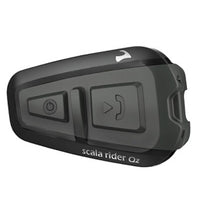
The Intercom distance of a Scala Rider G4 is limited to the device connected for intercom communication. When connected to separate G4 the intercom distance is 1 mile, a Q2 distance is 1,640 feet and the Solo, FM and Teamset Driver's units distance is limited between driver and pillion only.
The priority of the devices connected to the Scala Rider G4 are as such (1 being the highest and 5 the lowest priority) 1. Mobile phone audio or GPS instructions (device specific) 2. Intercom 3. A2DP audio source 4. FM radio (built-in) 5. Auxiliary MP3 Port (for corded connection e.g. MP3 players). For example, incoming mobile phone calls will interrupt ongoing intercom calls, while incoming intercom calls will interrupt the audio from the built-in FM Radio etc.
The Scala Rider G4 is compatible with all Scala Rider headsets for intercom communication except the Passenger unit of the Scala Rider TeamSet. When connected to a separate G4, the intercom range is 1 mile; with a Q2, the range is 1,640 feet; with the Solo, FM and Teamset Driver's units, the range is limited between driver and pillion only.
Yes, a reset will often times clear up any connection related issues. With the Scala Rider G4 headset turned ON, press and hold the Mobile Button for at least six seconds until the Red and Blue Lights begin rapidly alternating. Then press and hold the Volume Up Button for three seconds. Next, the Red and Blue Lights will flash five times simultaneously and then the headset will turn off, confirming that the Reset was successfully completed.
In the US, the G4 will be sold only in the version with the XL Boom Microphone. Internationally, we will have the G4 in two versions: XL Boom Microphone and Corded Microphone. Also, it will be possible to purchase the audio kit of the G4 separately.
You can download it from Cardo System's website once you register. Please visit http://www.cardosystems.com, select your location, and click 'Download' followed by 'Software Updates'.
No. VOX will open communications with all headsets with both intercom partners. If you want to disconnect one of the two intercom partners, tap the A or B button to disconnect that rider from the conversation.
While this product is water resistant, it is not waterproof. In any event, the silicone cover protecting the charging jack should always be tightly closed when exposed it to rain or snowfall.
The battery is not removable and you should never try to open the headset. To avoid losing the warranty, make sure to let only authorized personnel service your headset.
The passkey 0000 (four times zero), is a common industry standard passkey for headsets and other devices. Use it when you pair your headset to your mobile phone.
When using certain sports helmets, and while driving at higher speed, the wind impact may inadvertently activate the intercom. To avoid this from happening, you may disable the VOX feature by pressing and holding the Volume Up and Volume Down buttons simultaneously until you hear a beep. NOTE: The Enable/Disable Voice Connect feature affects only the Intercom. You will still be able to answer calls by Voice if you disable the VOX feature. Once VOX is disabled, you may use the MC button, single press or double press, to establish/end Intercom calls with your Primary or Secondary buddy, respectively.
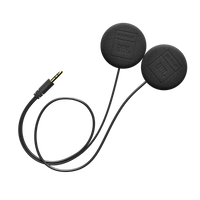
Start by making sure you have placed both of your speakers inside your helmet so that both of them actually touch your ears. For more details, please visit http://www.cardosystems.com/user_files/audio.pdf
Bluetooth works by broadcasting its presence in order to be found. The headset does this only in pairing mode, which is why you can not find the headset with your phone or computer if it is not in pairing mode. Bluetooth connections for headsets are all encrypted to provide a secure link between the phone and headset. This provides Headset applications of Bluetooth technology with a very high security level.
Start by making sure you have placed both of your speakers inside your helmet so that both of them actually touch your ears. For more details, please visit http://www.cardosystems.com/user_files/audio.pdf
Bluetooth works by broadcasting its presence in order to be found. The headset does this only in pairing mode, which is why you can not find the headset with your phone or computer if it is not in pairing mode. Bluetooth connections for headsets are all encrypted to provide a secure link between the phone and headset. This provides Headset applications of Bluetooth technology with a very high security level.
The battery is not removable and you should never try to open the headset. To avoid losing the warranty, make sure to let only authorized personnel service your headset.
Start by making sure you have placed both of your speakers inside your helmet so that both of them actually touch your ears. For more details, please visit http://www.cardosystems.com/user_files/audio.pdf
The regular sponge is used for open faced helmets due to the thickness of the sponge. The small sponge is smaller and should be used for closed faced helmets.
The passkey 0000 (four times zero), is a common industry standard passkey for headsets and other devices. Use it when you pair your headset to your mobile phone.
The battery is not removable and you should never try to open the headset. To avoid losing the warranty, make sure to let only authorized personnel service your headset.
The Dual Speaker boom clamp will only work on FM models that were packaged with the dual boom clamp. Single Speaker FM's will not work with the dual speaker boom clamp
Start by making sure you have placed both of your speakers inside your helmet so that both of them actually touch your ears. For more details, please visit http://www.cardosystems.com/files/audio.pdf
While this product is water resistant, it is not waterproof. In any event, the silicone cover protecting the charging jack should always be tightly closed when exposed it to rain or snowfall.
The way that Bluetooth works is that the device must broadcast its presence in order to be found. The headset does this only in pairing mode, which is why you can not find the headset with your phone or computer if it is not in pairing mode. Bluetooth connections for headsets are all encrypted to provide a secure link between the phone and headset. This provides Headset applications of Bluetooth technology with the highest security levels of any other application.
The scala rider TeamSet Intercom uses noise cancelling technology that constantly samples levels of background noise. When it hears no background noise (i.e. in-house) it remains idle to preserve battery life. This status is signaled by two beeps. When there is background noise (i.e. from wind noise or bike engine) the intercom circuit stays on and you or your pillion should be able to experience full duplex conversations. As an alternative, you can activate the "Always On" function.
The TeamSet is designed for short distances and not suitable for bike to bike communications. However, the scala rider line of products includes products that can achieve intercom distances of up to 500 m (1,600 ft) and even 1.6 km (one mile).
Yes, the two units are factory paired and ready to use. However, if for any reason you need to pair them again, proceed as follows:
Simultaneously press and hold the intercom buttons on each device for at least 10 seconds while observing the status light (LED) on the passenger unit.
Once the LED on the passenger unit lights steady red, wait three seconds then release both intercom buttons.
The steady red status light on the Passenger unit will switch to a steady blue light for a few seconds, and then will begin flashing in blue.
Now your units are again paired and ready to communicate via Intercom
Bluetooth works by broadcasting its presence in order to be found. The headset does this only in pairing mode, which is why you can not find the headset with your phone or computer if it is not in pairing mode. Bluetooth connections for headsets are all encrypted to provide a secure link between the phone and headset. This provides Headset applications of Bluetooth technology with a very high security level.
No, the only way to talk rider to pillion (in the current format) is by buying a scala-rider Teamset. Stand alone headsets such as the scala-rider/scala-57 can only be paired with Bluetooth enabled remote devices (ie mobile phones, GPS units).
While this product is water resistant, it is not waterproof. In any event, the silicone cover protecting the charging jack should always be tightly closed when exposed it to rain or snowfall.
The battery is not removable and you should never try to open the headset. To avoid losing the warranty, make sure to let only authorized personnel service your headset.
The passkey 0000 (four times zero), is a common industry standard passkey for headsets and other devices. Use it when you pair your headset to your mobile phone.
Start by making sure you have placed both of your speakers inside your helmet so that both of them actually touch your ears. For more details, please visit http://www.cardosystems.com/user_files/audio.pdf